AI for renovation manuals and warranties: preparing a searchable handover

Handover takes more than a folder of files
An AI assistant for renovation manuals can make installed-equipment documentation easier to find. Its usefulness depends on the handover folder being correct before anyone asks a question. A PDF for a similar range does not replace the actual model's manual, and sales literature does not establish the warranty terms supplied to the owner. First inventory the equipment, references, locations and files. Then prepare a search workflow that shows where each answer comes from and admits when information cannot be found because the relevant document is missing.
Autodesk documents assistants that query project specifications and warns that generated responses can be incomplete or inaccurate. The practical lesson is to require references rather than trust convincing prose. This article proposes a searchable folder for small renovations; it does not claim Reformia already offers that assistant. Start with location questions: where the manual is, which model was installed or who commissioned it. Do not begin with repair instructions, sensitive configuration changes or decisions that could affect safety within the property.
Inventory what was actually installed
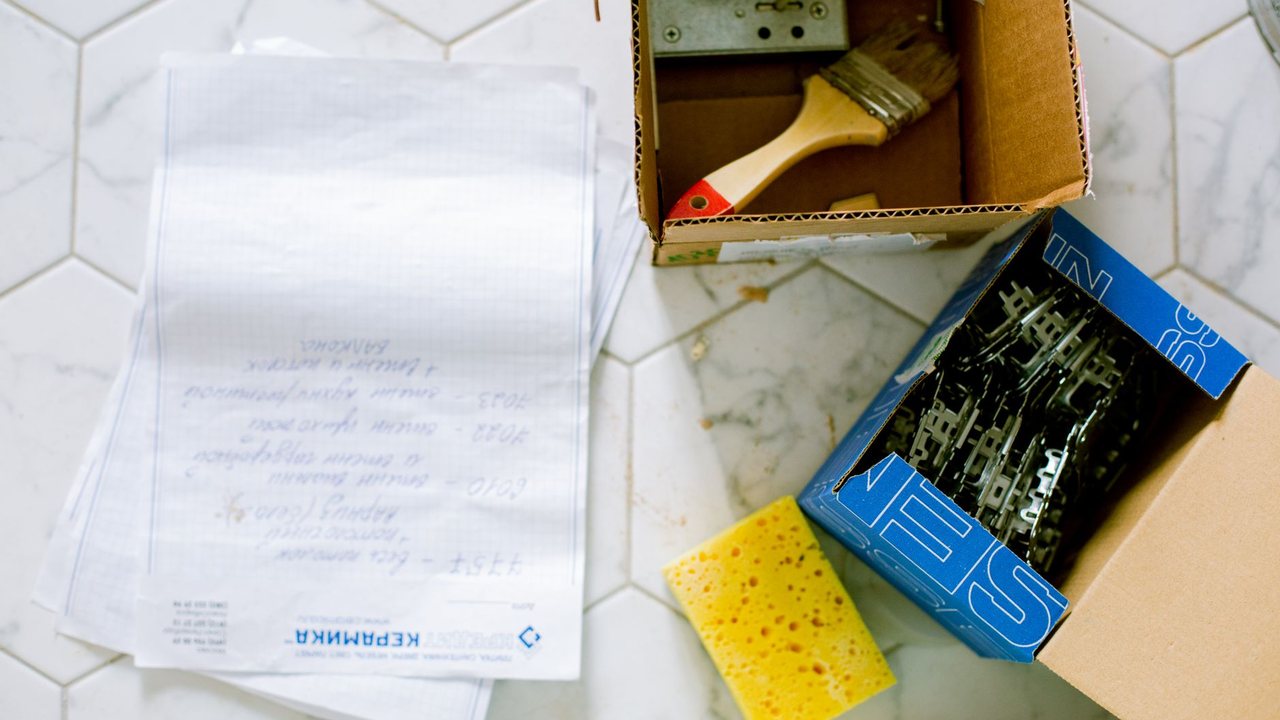
Give each item an internal identifier and record manufacturer, model, location, installer and handover document. Store serial numbers only where access is justified. Separate operating instructions, maintenance information, invoice, warranty and commissioning record. The system must not infer a warranty date from a file timestamp or invent a duration absent from the documentation. When equipment is replaced, archive the earlier documentation as historical and prevent it from becoming the main answer for the replacement. Keep the relationship between the physical item and its current files explicit.
In a Costa Blanca second home, the owner and the person checking the property may need different information. Provide understandable instructions and contacts without sharing passwords in a chat. Smart-home installation needs planned account handover; heat-pump installation needs equipment and installer documentation. Do not blend them into a generic smart-home answer. For maintenance or faults, direct the user to the applicable manual and competent service provider rather than improvising technical procedures.
Test questions and bounded answers
Prepare questions with known answers and others absent from every file. The system must distinguish them. Check that it identifies document, version and page where the format permits, then open the reference to verify support for the answer. A genuine citation can still be irrelevant. Test similarly named models and Spanish and English documents. If an instruction depends on a product variant, the answer should request that identification before offering guidance. Do not resolve ambiguity by choosing the first file retrieved from the folder.
Measure verifiable answers, correctly recognised missing answers and enquiries requiring installer involvement. The aim is not to remove that involvement but to arrive with organised information. Complete the folder using the articles on second-home smart-system handover and reviewed site documentation. Keep a downloadable index that works without AI: when connectivity or the assistant fails, the owner must still be able to find documents and assistance contacts directly.

An example to test the workflow
Example test: include manuals for two similar models and ask about a function available on only one. The assistant should identify the equipment before answering and cite the corresponding document. Then remove a manual and repeat the question: a correct response acknowledges the missing source. Also test a warranty-duration question where the file contains no answer. The assistant should not complete it using a generic rule. Keep these questions beside the index and repeat them when equipment is added, checking that updates have not mixed historical documentation with the installation still in service.
Source and pilot boundaries
Reference consulted: Autodesk. The workflow is Reformia's editorial proposal, not an announced product feature or a promise of results.
Before using real data, review access, retention and the AI provider's terms with your company's responsible person. Start with synthetic or anonymised information. The pilot must allow drafts to be corrected or rejected, original documents to be retrieved and work to continue manually if the service fails. Do not connect payments, purchases or external communications without specific human approval.
Pilot checklist
- 1Verify modelsInventory
Match references to installed equipment. Remove manuals for rejected options or replaced products from the active document set.
- 2Check sourcesTest
Open every pilot citation and verify its content. Record incorrect answers even when they link to a genuine document.
- 3Provide a fallbackContinuity
Provide a file and contact index independent of the assistant. Clarify who maintains the folder when equipment is replaced.
Frequently asked questions
Can it explain how to repair equipment?
Will scanned manuals work?
Where should passwords be kept?

You may also like
Show All Articles
AI Act in August 2026: client data and human review for renovation companies
An operating guide for a renovation company using AI with forms, WhatsApp, photos and quotes without losing control of data or human decisions.
Subscribe to our newsletter
And get a weekly digest of projects, bidding tips, and key platform updates straight to your inbox.
AI for a renovation brief: better questions before the first site visit
Prepare a renovation brief with AI: organise goals, photos and questions, separate preferences from requirements and avoid inventing a project budget.

Measuring AI savings in a renovation business: a pilot using your own evidence
Measure real AI savings in a renovation business: compare time, corrections and pilot costs before expanding tasks or subscribing to additional tools.

AI for renovation snagging photos: organise issues without replacing inspection
Organise renovation snagging photos with AI: identify rooms and evidence, preserve original images and avoid automatic diagnoses or issue closure.

Translating renovation quotes with AI: Spanish and English without scope changes
Translate renovation quotes with AI for overseas clients: preserve prices, units and exclusions and review technical terms in Spanish and English.
AI Act in August 2026: client data and human review for renovation companies
An operating guide for a renovation company using AI with forms, WhatsApp, photos and quotes without losing control of data or human decisions.
AI for a renovation brief: better questions before the first site visit
Prepare a renovation brief with AI: organise goals, photos and questions, separate preferences from requirements and avoid inventing a project budget.
Measuring AI savings in a renovation business: a pilot using your own evidence
Measure real AI savings in a renovation business: compare time, corrections and pilot costs before expanding tasks or subscribing to additional tools.
Subscribe to our newsletter
And get a weekly digest of projects, bidding tips, and key platform updates straight to your inbox.
AI for renovation snagging photos: organise issues without replacing inspection
Organise renovation snagging photos with AI: identify rooms and evidence, preserve original images and avoid automatic diagnoses or issue closure.
Translating renovation quotes with AI: Spanish and English without scope changes
Translate renovation quotes with AI for overseas clients: preserve prices, units and exclusions and review technical terms in Spanish and English.
AI Act in August 2026: client data and human review for renovation companies
An operating guide for a renovation company using AI with forms, WhatsApp, photos and quotes without losing control of data or human decisions.
AI for a renovation brief: better questions before the first site visit
Prepare a renovation brief with AI: organise goals, photos and questions, separate preferences from requirements and avoid inventing a project budget.
Subscribe to our newsletter
And get a weekly digest of projects, bidding tips, and key platform updates straight to your inbox.
Measuring AI savings in a renovation business: a pilot using your own evidence
Measure real AI savings in a renovation business: compare time, corrections and pilot costs before expanding tasks or subscribing to additional tools.
AI for renovation snagging photos: organise issues without replacing inspection
Organise renovation snagging photos with AI: identify rooms and evidence, preserve original images and avoid automatic diagnoses or issue closure.
Translating renovation quotes with AI: Spanish and English without scope changes
Translate renovation quotes with AI for overseas clients: preserve prices, units and exclusions and review technical terms in Spanish and English.