AI for renovation snagging photos: organise issues without replacing inspection
Organising images is not inspection
AI can suggest labels, group renovation snagging photographs and prepare an initial observation list. It cannot confirm that a concealed installation was properly completed because its finish looks acceptable. Nor should it diagnose a crack or stain from an isolated image. NIST's generative AI risk profile addresses false or inaccurate outputs presented confidently. Here, the cautious application is organising evidence for a person to review, not replacing the professional inspecting the work. A convincing description should not be mistaken for knowledge of what lies behind the photographed surface.
Set a simple capture protocol: an overview locating the room, an image of the element and a detail where needed. Retain the original file, date and photographer's description. Do not edit photographs to remove defects or generate a supposed after-image to justify closing an issue. If an annotated copy is used, keep it clearly separate from the original. Avoid capturing faces, documents, keys or personal belongings irrelevant to the review. The quality of the evidence starts with capture rather than with the model processing it.
An issue with enough context
Each issue needs a location, element, observation, review owner and status. Request neutral descriptions: a visible gap at the junction, not proven defective installation. Measurements should appear only where verifiable measurement exists; an unscaled photograph cannot justify invented millimetres. If several images seem to show the same spot, AI may suggest grouping them, but a person confirms the relationship. Preserve the history to distinguish a new issue from another photograph and prevent a supposed duplicate from concealing a problem in a different room.
For an owner supervising from outside Alicante, a clear list can improve discussions with the site manager. It does not turn remote viewing into a complete inspection. Distinguish monitoring a full renovation from a pre-purchase property inspection, which is a different appointment. Where an issue affects safety, water or services, refer it to the appropriate professional. The tool should allow needs a visit without forcing someone to choose a cause that has not yet been established.
Close through verification, not appearance
A later photograph can support a review but does not itself prove that the cause was resolved. Define who verifies each snag and what evidence is needed: a visit, test, document or client confirmation according to scope. AI can summarise supplied evidence and flag omissions; it should not mark an issue resolved because a cleaner image appears. Nor should it assign responsibility to a trade without reviewing the record. Keep visual observation, technical explanation and acceptance as separate steps rather than compressing them into one confident label.
Test dark, repeated and unlocated photographs, including similar-looking elements. Measure incorrect grouping, invented observations and correctly prevented closures. Site documentation with photos and minutes provides the record structure; defect checks before renovation helps prepare questions. If the system saves classification time but requires diagnostic corrections, restrict output to labels and descriptions. A less ambitious function can be more useful when it respects what the photograph actually allows a person to observe.
An example to test the workflow
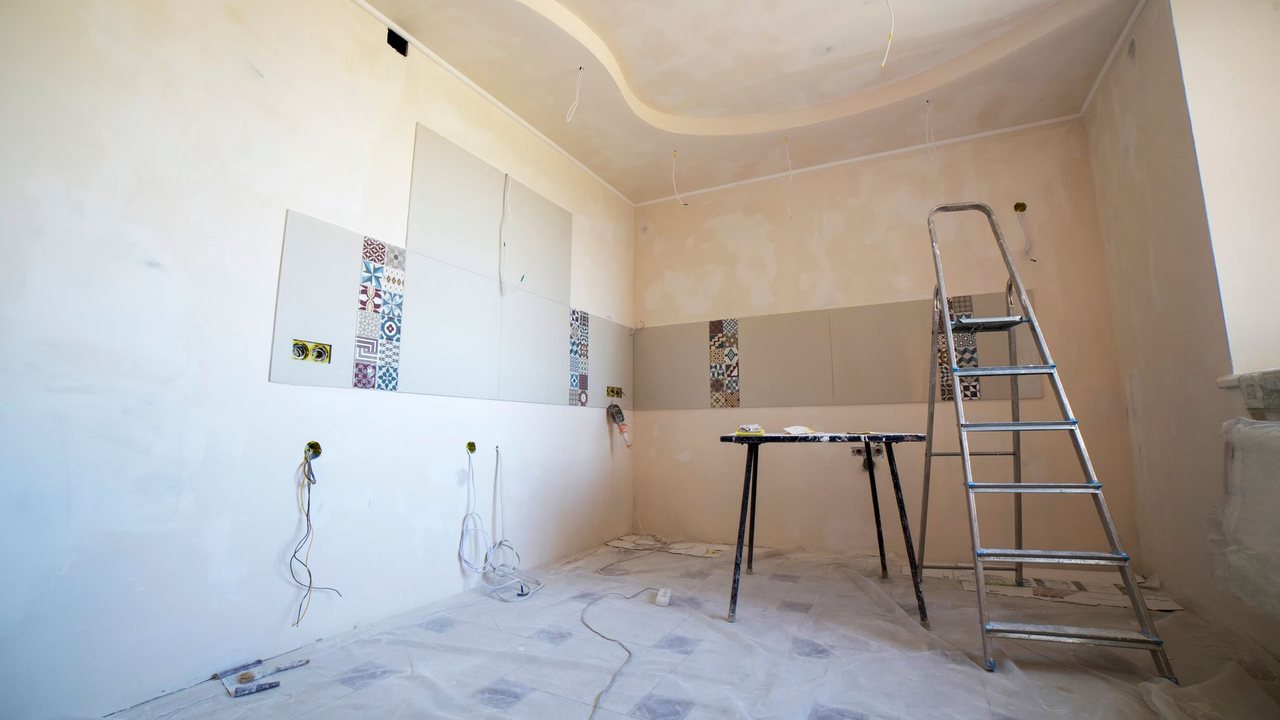
Example test: include photographs of similar junctions in different rooms and check that they are not merged without review. Add a blurred image that cannot support a description of the defect; the correct response asks for another photograph rather than inventing an observation. Then provide a later image without repair evidence and verify that the issue remains awaiting acceptance. These are classification and traceability tests, not diagnostic exercises. Keep test images separate from real project records so a simulation never becomes apparent client evidence or a claim that work was completed.
Source and pilot boundaries
Reference consulted: NIST. The workflow is Reformia's editorial proposal, not an announced product feature or a promise of results.
Before using real data, review access, retention and the AI provider's terms with your company's responsible person. Start with synthetic or anonymised information. The pilot must allow drafts to be corrected or rejected, original documents to be retrieved and work to continue manually if the service fails. Do not connect payments, purchases or external communications without specific human approval.
Pilot checklist
- 1Keep originalsEvidence
Keep unaltered photographs and separate annotations. Identify the date, room and person documenting the observation.
- 2Avoid diagnosisReview
Review labels and descriptions with the supervisor. Do not convert visual appearance into a technical cause or safety conclusion.
- 3Verify closureAcceptance
Define evidence and ownership before closure. A new photograph does not replace a test or visit when the issue requires one.
Frequently asked questions
Can it detect every defect?
Can a photograph measure a crack?
Should AI enhance the image?

You may also like
Show All Articles
AI for a renovation brief: better questions before the first site visit
Prepare a renovation brief with AI: organise goals, photos and questions, separate preferences from requirements and avoid inventing a project budget.
Subscribe to our newsletter
And get a weekly digest of projects, bidding tips, and key platform updates straight to your inbox.

Measuring AI savings in a renovation business: a pilot using your own evidence
Measure real AI savings in a renovation business: compare time, corrections and pilot costs before expanding tasks or subscribing to additional tools.

Translating renovation quotes with AI: Spanish and English without scope changes
Translate renovation quotes with AI for overseas clients: preserve prices, units and exclusions and review technical terms in Spanish and English.
AI for renovation variations: extras, versions and client approval
Record renovation variations with AI without automatically approving extras: identify requests, compare versions and confirm scope, cost and time with clients.

AI for renovation manuals and warranties: preparing a searchable handover
Organise renovation manuals and warranties with AI: link equipment to its documents, preserve versions and require answers with verifiable references.
AI for a renovation brief: better questions before the first site visit
Prepare a renovation brief with AI: organise goals, photos and questions, separate preferences from requirements and avoid inventing a project budget.
Measuring AI savings in a renovation business: a pilot using your own evidence
Measure real AI savings in a renovation business: compare time, corrections and pilot costs before expanding tasks or subscribing to additional tools.
Translating renovation quotes with AI: Spanish and English without scope changes
Translate renovation quotes with AI for overseas clients: preserve prices, units and exclusions and review technical terms in Spanish and English.
Subscribe to our newsletter
And get a weekly digest of projects, bidding tips, and key platform updates straight to your inbox.
AI for renovation variations: extras, versions and client approval
Record renovation variations with AI without automatically approving extras: identify requests, compare versions and confirm scope, cost and time with clients.
AI for renovation manuals and warranties: preparing a searchable handover
Organise renovation manuals and warranties with AI: link equipment to its documents, preserve versions and require answers with verifiable references.
AI for a renovation brief: better questions before the first site visit
Prepare a renovation brief with AI: organise goals, photos and questions, separate preferences from requirements and avoid inventing a project budget.
Measuring AI savings in a renovation business: a pilot using your own evidence
Measure real AI savings in a renovation business: compare time, corrections and pilot costs before expanding tasks or subscribing to additional tools.
Subscribe to our newsletter
And get a weekly digest of projects, bidding tips, and key platform updates straight to your inbox.
Translating renovation quotes with AI: Spanish and English without scope changes
Translate renovation quotes with AI for overseas clients: preserve prices, units and exclusions and review technical terms in Spanish and English.
AI for renovation variations: extras, versions and client approval
Record renovation variations with AI without automatically approving extras: identify requests, compare versions and confirm scope, cost and time with clients.
AI for renovation manuals and warranties: preparing a searchable handover
Organise renovation manuals and warranties with AI: link equipment to its documents, preserve versions and require answers with verifiable references.